
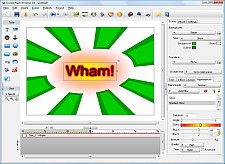
| In two years we have added tons of new features and improvement in the areas of editing and publishing. Below we list some of the new features added into this version. |
| |
| Editing |
| |
|
| • |
Create Projects easily using wizard
Create a professional looking flash banner, photo slideshow, navigation buttons in less than a minute by using a step by step wizard. |
| |
|
| |
|
| |
See example movie created using wizard |
| |
|
| • |
Overlapping Scene Transition Effect
Transition effect between scene can now be overlapped. This makes it possible for you to make a project such as photo slideshow where text animation occured while the scene is transitioning from one to the next. Choose from 300+ cool scene transition effects from effect library. This was not possible to achieve in the previous version. See example |
| |
|
| |
|
| |
|
| • |
New Gradient Soft Transition Effects
Hundreds of new gradient soft transition effects are added into scene transition effect collection. This type of transition effect creates a smoother transition between two scenes as it alpha blends between the two scenes during transition. This transition effect works just like other scene transition, meaning you can apply them into the a scene containing animated text, button, shapes, clipart, photos. See example |
| |
|
| • |
Support Flash 8 Video Format
You can now encode your video into Flash 8 video format. Flash 8 video format creates a much smaller video file with a better quality. |
| |
|
| • |
More Stylish Background
More stylish background (landscape, portrait and square) are added to help you build a great looking animated banner/intro. A new 'Tiled' category is added which contains stylish background using a texture pattern.
|
| |
|
| • |
Bitmap Motion Effect (Ken & Burn) |
| |
You can now add a motion effect into a scene's background bitmap. This way you can easily create a photo slideshow with Pan/Zoom effect without the need to combine all the photos into one scene. See example |
| |
|
| • |
Navigation Button Object
You can now add a navigation button. There are many styles provided and each can be color customized. A navigation button is a button which has no text appearance but rather has navigation symbol such as back, next, rewind, fast forward, pause, play. One special navigation button called PlayPause can serve as a toggle between Play and Pause and automatically play/pause the movie playback when it is pressed.
|
| |
See example |
| |
|
| • |
Better Graphical User Interface |
| |
The GUI has been redesigned from scratch to make it more efficient and easier to work on your project. A quick Publish toolbar is added at the top to access wide range of publish features. A font and color selection now remember list of recently used font/color so you can reselect them much quicker. |
| |
|
|
| |
|
|
| |
|
| • |
More Cliparts |
| |
More clipart has been added into IncrediFlash XTreme clipart library |
| |
|
| • |
Import IncrediFlash Intro and Banner Studio project |
| |
You can now import IncrediFlash Intro and Banner Studio project file to be edited or published within IncrediFlash XTreme 2.0. See here for details about IncrediFlash Intro and Banner Studio. |
| |
|
Publishing |
| |
|
| • |
Support Google clickTAG |
| |
You can now integrate your published SWF movie into Google Adwords system simply by adding a new clickTAG action type without the need to write any actionscript. Please see here for more details about Google clickTAG |
| |
|
| • |
Much smaller SWF file size |
| |
A simple flash project is now automatically compressed into a much smaller file size up to as small as 20KB which is more suitable to some ads system such as Google which limit the SWF file size to a maximum of 50KB. |
| |
|
| • |
Publish more than one movie into an executable file and autorun CD/DVD |
| |
You can now publish more than one movie into an executable file and autorun CD/DVD. You can choose to add a menu (ala DVD menu) where you can customize with navigation button and thumbnail for each of your movie.. |
| |
See an example executable file |
| |
|
| • |
Better preloader system |
| |
Better preloader system. IncrediFlash XTreme 2.0 preloader is much smoother and more accurate as it calculates the exact bytes downloaded rather than the number of objects downloaded as in version 1.0. |
| |
|
| • |
Create an executable and autorun CD/DVD with a full application installation and a customizable window skin |
| |
Add an application installation to your executable file and autorun CD/DVD as if a real desktop application. Choose from list of application window skin to enhance the appearance of your publication |
| |
See an example executable file |
| |
|
| |
 |
| |
|
| • |
More powerfull branding feature |
| |
Brand your executable/CD/DVD even further with a company logo, about box, right click menu, splash screen and many more. You can also add a usage restriction (time trial/serial number protection) so you can commercially distribute them. |
| |
|
| |
 |
| |
See example executable file |
| |
|
| • |
Add a professional looking DVD menu |
| |
You can now customize your DVD menu further with thumbnail frame, text settings, shadow and navigation button to create a more professional looking DVD movie. |
| |
|
| |
 |
| |
|
| • |
Turn your flash animation into a screensaver |
| |
You can add more than one movie into a screensaver. Distribute your screensaver easily as a desktop screensaver application by adding an installer, logo and serial/time trial registration. |
| |
|
| • |
Print a scene from your movie |
| |
You can print one or more scenes into different paper layout such as greeting card, A4, wallet size paper photo, CD/DVD cover, etc. |
| |
Miscellaneous |
| |
|
| • |
Better Windows VISTA compatibility |
| |
Microphone driver is now more VISTA compatible. IncrediFlash XTreme 2.0 GUI is now support Windows Vista Aero user interface. |
| |
|
| • |
Better CD/DVD burner driver |
| |
Better CD/DVD burner driver which is also more compatible to Windows VISTA and also support Blu-ray disc. |
| |
| |
| |
 |