
 |

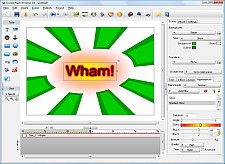
IncrediFlash XTreme is a versatile tool to help you quickly and easily build Flash animations without the need for Flash experience. The streamlined user interface allows you to add text animations, images, interactivities, actions, sounds, videos, and voices with only a few clicks. There is no need to write any script.
See whats new in version 3.0 - here
| • |
Create compelling Flash banners with text animations and multimedia |
| • |
Make a Flash introduction to spice up your website |
| • |
Build professional interactive Flash movies for presentations, e-learning, product demonstration, marketing materials, advertisements, etc. |
 |
 |
 |
| Flash movies created using IncrediFlash XTreme |
| Key Features |
| |
| Create projects easily by using wizard |
 |
Create a professional looking flash banner, photo slideshow, navigation buttons in less than a minute by using a step by step wizard. See screenshot |
| |
| Use Components to enhance your movies |
 |
Components is a shape or clipart with additional handles and parameters you can use to modify it's behaviors and appearances. See examples |
| |
| 100 + Highly Customizable Text effects |
 |
Choose from 100+ text effects. Each effect is highly customizable, allowing you to produce totally different effect by a little tweaking. See examples |
| |
| Add Scene Transition Effect |
 |
There are 300+ transition effects to choose from our effect library. Transition effect can play at the same time with other animated objects. See examples |
| |
| Add New Flash 8 Filters and Blend modes |
 |
Add new Flash 8 filters and blend modes such as drop shadow, blur, glow, bevel, gradient glow, screen, inverse, lighten, gradient bevel, etc. instantly. See examples |
| |
| Import Multimedia Files |
| Add multimedia components such as video, sound (event/streaming) and music, Flash movie clips (.swf file), and voice recordings. |
| |
| Timeline Window |
 |
A streamlined graphical user interface with timeline window to adjust object duration and effect timing. It also shows a sound waveform, allowing you to synchronize sound and animation much easier. |
| |
| Add Interactivities and Actions |
| Add interactivities and actions to a mouse event such as: show/hide objects, play/pause main movie, video, or sound, open a website, send an email, rewind movie, and many more. You do not need to write any script. |
| |
| Gradient / Animated / Image Backgrounds |
| Choose various background styles such as transparent, solid color, gradient and animated background with customizable colors from the built-in background library. |
 |
| |
| Insert Layer Effects |
| Add layer effects such as lighting, clouds, thunder, rain, etc. from the built-in effect library. Each effect is fully customizable allowing you to change the color, speed, etc. |
 |
| See examples |
| |
| Built-in ClipArt and Shape Library |
| Add clipart such as arrows, objects, shapes from the built-in clipart library. |
| |
|
Publish as: |
| • |
Streaming Flash SWF and HTML ready for online viewing |
| • |
Executable file and autorun CD/DVD with customizable splash screen, usage limit and registration |
| • |
DVD movie playable on TV with any DVD players |
| • |
AVI movie importable into your favourite video editing tools such as Adobe Premiere, Ulead Video Studio, Microsoft Movie Maker, etc. |
| • |
Publish to MPEG1/2/4 and Quicktime MOV file. |
| • |
Upload online into your own website/FTP server using the built-in FTP client. |
| • |
Screensaver with/without installalation. |
| • |
Print one or more scenes from your movie |
| • |
Publish to YouTube video (High Definition is supported) |
| • |
Publish to IPod/IPhone/IPad/PSP/Mobile Phone videos |
|
| |
|
|
 |